
Most website owners focus entirely on getting new backlinks and never look back at the ones they already have. That’s a mistake, because not every link pointing to your site is actually helping it. Some might be doing nothing, and a few could even be working against you. Agencies like BoostingFirm run backlink audits for exactly this reason — to find out how to do a backlink audit that actually improves rankings, rather than just checking a box.
Here’s a practical walkthrough of what a backlink audit involves and how to run one yourself.
What a Backlink Audit Actually Checks For
A backlink audit is a review of every link pointing to your website, sorted by quality and relevance. The goal is simple: identify which links are helping your site, which ones are neutral, and which ones might be quietly dragging your rankings down.
This matters more than people expect. A site with a handful of spammy or irrelevant backlinks can end up suppressing rankings that would otherwise improve naturally, especially if those links were built quickly or from low-quality sources in the past.
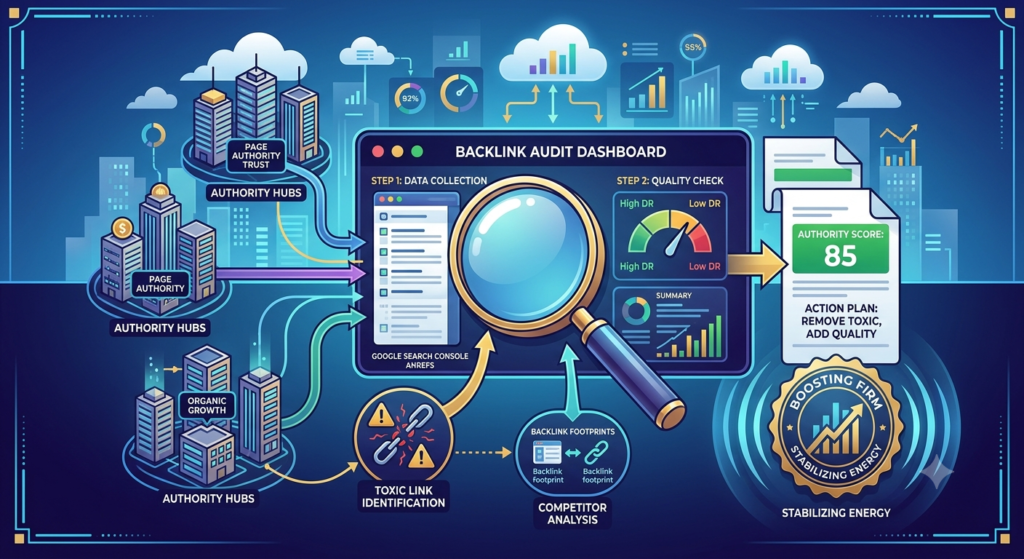
How to Do a Backlink Audit: The First Step
Start by gathering every backlink pointing to your domain. Google Search Console gives you a free, if somewhat limited, view of this under its “Links” report. Paid tools like Ahrefs or Semrush give a far more complete picture, including historical links that may have disappeared from Search Console’s data.
Step 2: Sort Links by Quality Signals
Once you have the list, look at each linking domain for a few key signals: does the site have real, active content, or does it look abandoned? Does it get genuine traffic? Is it even remotely relevant to your niche? Links from active, relevant, reasonably trusted sites are the ones worth keeping and building on.
Search Engine Journal’s guide on link audits echoes this approach — quality and relevance consistently matter more than sheer backlink count when evaluating a link profile.
Step 3: Flag Toxic or Suspicious Links
Watch for a few common red flags: links from clearly spammy sites with no real content, links from completely unrelated foreign-language sites with no connection to your niche, and sudden spikes of many links appearing at once from low-quality sources. These patterns often point to either negative SEO attacks or leftover links from questionable past link building.
Step 4: Decide What to Do With Problem Links
For genuinely harmful or spammy links, you have two main options. You can try reaching out to the site owner and requesting removal, though response rates are typically low. Alternatively, Google’s Disavow Tool lets you tell Google to ignore specific links when evaluating your site — though this should be used carefully and only for links you’re confident are actually harmful, not just low-quality.
Step 5: Identify Gaps and Opportunities
A good audit isn’t just about removing bad links — it’s also a chance to see where your link profile is thin. Compare your backlink profile to competitors in your niche. If they consistently earn links from certain types of sites you’re missing, that’s a useful signal for where to focus future outreach.
How Often Should You Audit Your Backlinks
For most sites, checking in every few months is reasonable. If you’re running active link building campaigns or have noticed a sudden ranking drop, it’s worth auditing sooner, since new problem links tend to show up gradually rather than all at once.
Common Mistakes During a Backlink Audit
- Disavowing links too aggressively, including ones that were actually harmless or even helpful
- Only checking backlinks after a ranking drop, instead of building it into regular maintenance
- Judging links purely by a single authority score, without considering actual relevance
- Ignoring the audit results instead of acting on what they reveal
Final Thoughts
Learning how to do a backlink audit is less about finding a perfect link profile and more about staying aware of what’s actually pointing to your site. A regular review, done carefully and without overreacting to every low-quality link, keeps your backlink profile healthy and gives your legitimate SEO efforts room to actually work.
Read more about how to build backlinks for a new website →